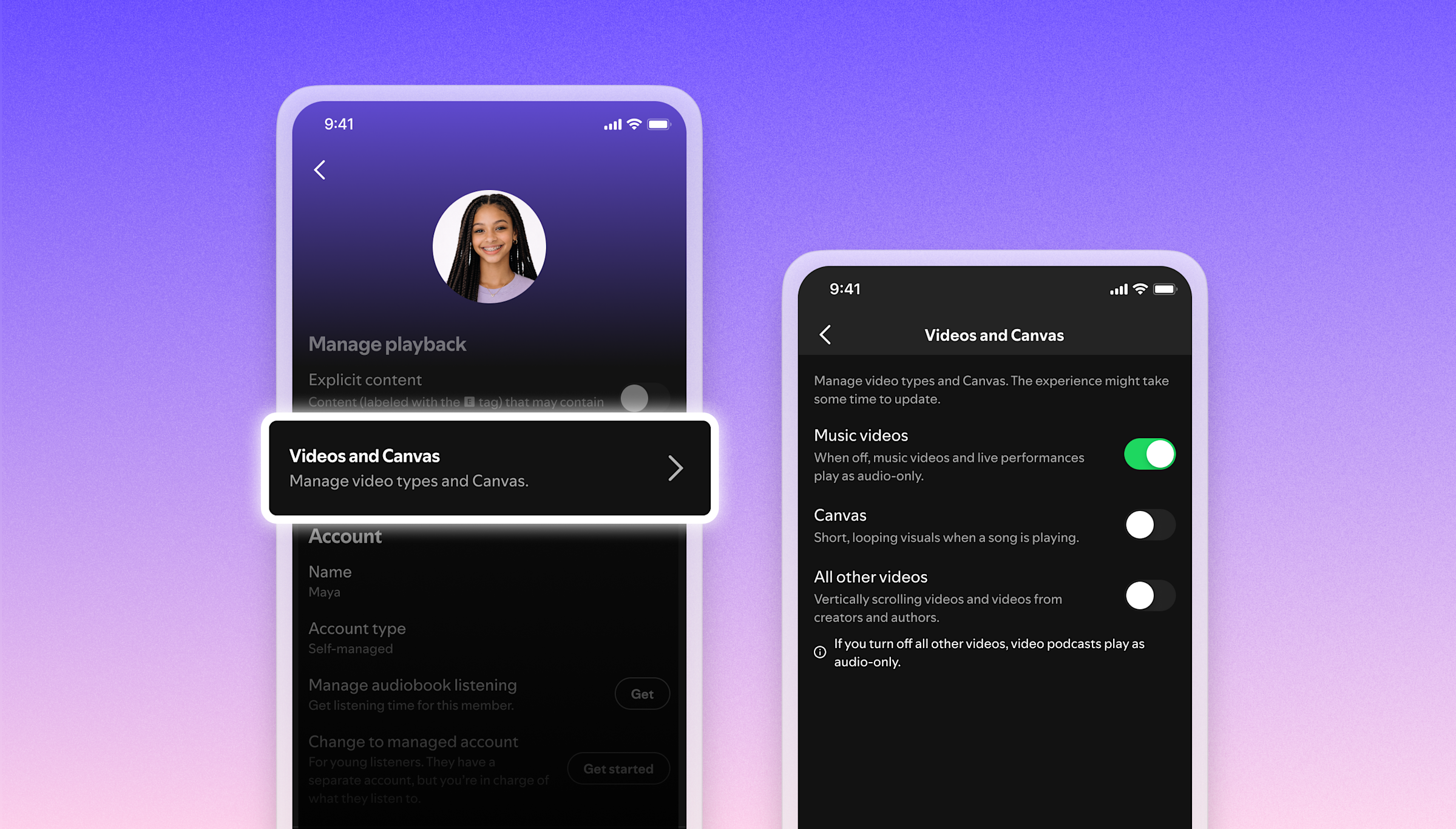
Spotify has added three independent video controls to its app, giving users the ability to turn off Canvas animations, music videos, and video podcasts separately, or all at once, across all their devices.
The new settings appear under Settings > Content and display. Canvas, the looping animated backgrounds Spotify introduced in 2018, now has its own toggle separate from music videos and from a third category that covers everything else: video podcasts, vertical scrolling videos, and short creator clips. All changes sync across a user’s account automatically. Family plan administrators can also manage these settings centrally, setting defaults for every account under their plan.
What the controls cover
Canvas launched in 2018 as a way for artists to attach short looping visuals to their tracks in the Now Playing view. The feature spread quickly and became a default part of the experience, meaning listeners encountered it whether they wanted it or not.
Music videos arrived separately, with Spotify rolling them out in select markets before reaching broad availability across most regions by late 2025. That put the platform in more direct competition with YouTube Music, where music videos are the primary format.
Artist clips are 30-second vertical videos allowing creators to post short messages to listeners directly in the app. Video podcasts, which Spotify began supporting in 2020 during the surge in podcast consumption, have since become common on the platform after high-profile deals brought major creators onto the service, many of whom produce video-first content.
Before this update, users who wanted audio only had to manage video formats one at a time, with settings spread across different parts of the app. The new controls consolidate everything in one place.
Reading the change
Spotify has invested heavily in video since 2020. The company has cited internal data showing more than 70 percent of its users say more video content would improve their experience, a figure that has driven the continued expansion of video across the platform. That same data implies a significant share of users who either have no preference or actively want audio only, and the new toggles appear aimed at that group.
Adding off switches is consistent with that investment strategy, not a retreat from it. A streaming platform at Spotify’s scale serves users with fundamentally different expectations: some treat it as a music app, some use it for podcasts, some want the visual layer that Canvas and music videos provide. Giving each group explicit controls reduces the friction that builds when a product adds features without offering a way to opt out.
The feature is live now across Spotify’s major platforms.