What this guide covers
If you are thinking about buying a PlayStation 5 in 2026, this guide will help you decide which model to get, what to expect from the hardware, and how to get the most from your purchase. It covers every current PS5 model, the accessories worth considering, the subscription tiers, and practical advice for new and returning PlayStation owners.
Whether you are a first-time console buyer, switching from Xbox or PC, or upgrading from a PS4, this guide is written to give you the information you need without the noise.
What is the PlayStation 5
The PlayStation 5 is Sony’s current home console, originally released in November 2020. It plays PS5 games natively and supports thousands of PS4 titles through backwards compatibility. The console uses a custom AMD Zen 2 CPU and RDNA 2 GPU, paired with a high-speed SSD that significantly reduces load times compared to previous-generation hardware.
Sony has released several hardware revisions since launch. The original launch models were replaced by slimmer versions in late 2023, and a more powerful PS5 Pro model arrived in November 2024. All three current models share the same game library.
PS5 models explained
There are three PS5 models on sale in 2026. All three play the same games, but they differ in storage, price, performance, and whether they include a disc drive.
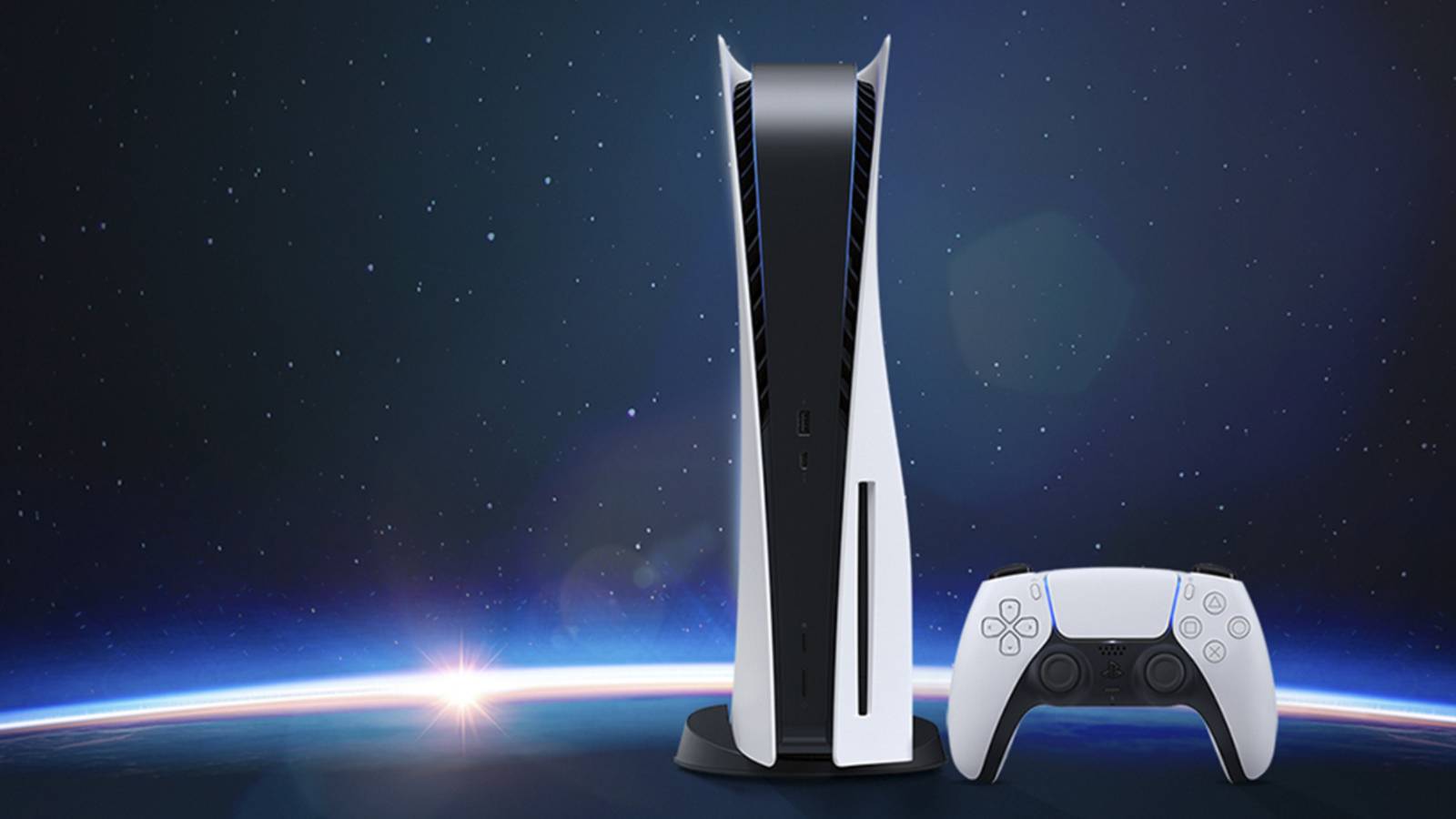
PS5 (disc edition)
The standard PS5 includes a 4K Blu-ray disc drive and 1TB of internal SSD storage. It plays physical and digital games. This is the most popular model for buyers who want the option to buy, sell, or lend disc-based games. As of April 2026, it is priced at $649 in the United States.
PS5 Digital Edition
The Digital Edition has no disc drive, so all games must be purchased and downloaded from the PlayStation Store. In late 2025, Sony reduced the internal storage from 1TB to 825GB on the current revision (model CFI-2116), though the price remained the same. It is currently priced at $599.99 in the US. You can add a disc drive separately for $79.99, but that narrows the price gap with the standard model considerably.
PS5 Pro
The PS5 Pro launched in November 2024 as a mid-generation upgrade. It features a more powerful GPU (roughly 67% faster than the standard PS5), faster ray tracing, 2TB of internal storage, Wi-Fi 7 support, and a machine learning upscaling feature called PlayStation Spectral Super Resolution (PSSR). Like the Digital Edition, it does not include a disc drive. The separate disc drive accessory ($79.99) is compatible.
The PS5 Pro is priced at $899.99 in the US following a price increase in April 2026. It is aimed at players who want the best image quality and frame rate the PS5 platform can offer, particularly on a 4K display.
Which model should you choose
For most buyers, the standard PS5 with a disc drive offers the best balance of price, storage, and flexibility. The Digital Edition saves $50 upfront but limits you to digital purchases and comes with less storage. The PS5 Pro is a significant investment, best suited for players with a 4K 120Hz display who want the highest performance available without moving to PC.
PS5 specifications in plain terms
The table below compares the three current models side by side. All three share the same CPU architecture, but the PS5 Pro has a more powerful GPU and larger SSD.
| Specification | PS5 (disc) | PS5 Digital Edition | PS5 Pro |
|---|---|---|---|
| CPU | AMD Zen 2, 8 cores, 3.5 GHz | AMD Zen 2, 8 cores, 3.5 GHz | AMD Zen 2, 8 cores, 3.5 GHz |
| GPU | 10.28 TFLOPS RDNA 2 | 10.28 TFLOPS RDNA 2 | 16.7 TFLOPS RDNA-based |
| RAM | 16 GB GDDR6 | 16 GB GDDR6 | 16 GB GDDR6 |
| Storage | 1 TB SSD | 825 GB SSD | 2 TB SSD |
| Disc drive | Yes (4K Blu-ray) | No (optional add-on, $79.99) | No (optional add-on, $79.99) |
| Max resolution output | 4K (up to 8K signal) | 4K (up to 8K signal) | 4K (up to 8K signal) |
| Frame rate | Up to 120 fps | Up to 120 fps | Up to 120 fps |
| Ray tracing | Yes | Yes | Yes (2-3x faster) |
| PSSR upscaling | No | No | Yes |
| Wi-Fi | Wi-Fi 6 | Wi-Fi 6 | Wi-Fi 7 |
| US price (April 2026) | $649 | $599.99 | $899.99 |
In practical terms, the standard PS5 and Digital Edition deliver the same gaming experience. The PS5 Pro produces noticeably sharper image quality in supported titles, especially those with a PS5 Pro Enhanced label. If you are playing on a 1080p television, the visual difference between the standard PS5 and the Pro will be minimal.
The DualSense controller
Every PS5 ships with one DualSense wireless controller. It has two features that set it apart from previous PlayStation controllers and from most competitors: haptic feedback and adaptive triggers.
Haptic feedback replaces the simple rumble motors of older controllers with more precise vibrations that can simulate textures, impacts, and environmental effects. Adaptive triggers on L2 and R2 can resist your input with varying force, simulating the tension of drawing a bowstring or the resistance of pressing a car brake.
Not every game uses these features to the same degree. First-party Sony titles like Astro Bot and Returnal make extensive use of them, while many third-party games treat the DualSense as a standard controller. The DualSense charges over USB-C and lasts roughly 12 hours on a full charge, depending on the game and whether haptics are active.
Sony also sells the DualSense Edge, a premium controller with remappable back buttons, adjustable trigger lengths, and swappable thumbstick modules. It is aimed at competitive players and costs significantly more than the standard DualSense.
Storage and expansion
The PS5’s SSD is fast, but modern games are large. Many AAA titles exceed 100 GB, and some (like Call of Duty installations) can take up well over 150 GB. On the 825 GB Digital Edition, usable space after the operating system is closer to 700 GB, which fills up quickly.
All PS5 models have an internal M.2 NVMe SSD expansion slot. You can install a compatible Gen 4 NVMe drive (with a heatsink) to add storage. Drives with read speeds of 5,500 MB/s or faster are recommended. Popular options include the Samsung 990 Pro, WD Black SN850X, and Seagate FireCuda 530. A 2 TB expansion drive typically costs between $120 and $180.
You can also use an external USB hard drive or SSD to store PS4 games (and to store, but not play, PS5 games). This is a cheaper option for archiving titles you are not currently playing.
Graphics and performance
Most PS5 games offer a choice between two rendering modes. A quality mode targets higher resolution (often native 4K or close to it) at 30 frames per second. A performance mode lowers the resolution and targets 60 frames per second. Some games offer a third option that balances the two, and a growing number of titles now run at a stable 60 fps in both modes.
The PS5 supports HDR output on compatible televisions, which produces a wider range of brightness and colour. It also supports 120 Hz output for games that target 120 fps, though these are mostly competitive multiplayer titles and smaller-scale games.
On the PS5 Pro, the PSSR upscaling technology allows games to render at a lower internal resolution and then reconstruct a higher-quality image using machine learning. The practical result is that many PS5 Pro Enhanced titles can run at 60 fps with image quality close to native 4K, closing the gap between quality and performance modes.
Backwards compatibility
The PS5 plays the vast majority of the PS4 library. Sony states that over 99% of PS4 games are playable on PS5, and many of them run with improved frame rates or faster load times thanks to the more powerful hardware. If you have PS4 disc games, you will need a PS5 model with a disc drive to play them.
Some PS4 games have received free PS5 upgrades or paid remastered versions that take full advantage of the newer hardware. God of War Ragnarok, The Last of Us Part II Remastered, and Ghost of Tsushima Director’s Cut are examples of games that offer native PS5 versions with improved visuals and performance.
The PS5 does not natively play PS3, PS2, or PS1 disc games. However, a selection of classic titles from those platforms is available through the PlayStation Plus Premium tier (covered below) as downloads or cloud streaming.
PlayStation Plus tiers
PlayStation Plus is Sony’s subscription service. It is required for online multiplayer in most games and offers additional benefits depending on the tier you choose. There are three tiers.
PS Plus Essential ($79.99 per year)
This is the base tier. It includes online multiplayer access, two to four free monthly games to claim and keep as long as your subscription is active, exclusive store discounts, and 100 GB of cloud save storage. If you play online, this tier is mandatory.
PS Plus Extra ($134.99 per year)
Extra includes everything in Essential, plus access to the Game Catalog: a rotating library of over 400 PS4 and PS5 games available for download. Titles from Ubisoft+ Classics are also included. Games in the catalog change over time, so a specific title may not be available permanently. This tier is a good fit for players who want a wide variety of games without buying each one individually.
PS Plus Premium ($159.99 per year)
Premium adds the Classics Catalog (PS1, PS2, and PSP games for download, plus PS3 games via cloud streaming), cloud streaming for PS5 games on console and PC, and time-limited game trials that let you play select new releases for up to two hours before purchasing. It also includes access to Sony Pictures Core, a movie streaming service. This tier is most relevant if you want to explore older PlayStation libraries or prefer to stream rather than download.
All three tiers are also available in monthly and quarterly billing options at higher per-month rates. The annual plan offers the best value in each tier.
Games worth starting with
The PS5 has a large library spanning every genre. These recommendations focus on games that are widely available, well reviewed, and represent a range of styles.
For action and adventure, Astro Bot (2024) is one of the best-reviewed PS5 games and a strong introduction to the DualSense controller’s features. God of War Ragnarok offers a lengthy narrative-driven experience. Marvel’s Spider-Man 2 makes excellent use of the PS5’s fast SSD with near-instant traversal across a large open world.
For role-playing games, Final Fantasy VII Rebirth and Elden Ring are both well regarded, though very different in style. Final Fantasy VII Rebirth is a story-driven action RPG, while Elden Ring is an open-world game with demanding combat and minimal hand-holding.
For multiplayer and competitive play, Helldivers 2 has been one of the breakout cooperative games on PS5. Fortnite and Call of Duty remain popular free-to-play or annual options for competitive shooters.
For narrative-focused or quieter experiences, The Last of Us Part I and Part II are available as PS5 native versions. Horizon Forbidden West offers a large open world with a focus on exploration and machine combat.
Many of these titles are included in the PS Plus Extra or Premium catalog at various times, so check the current lineup before purchasing separately.
Accessories worth considering
The PS5 ecosystem includes a range of first-party and third-party accessories. Not all of them are necessary, but a few are worth evaluating based on how you plan to use the console.
A second DualSense controller is useful if you play local multiplayer games. The DualSense charging station keeps two controllers charged and off your desk, which is a small convenience that prevents dead-controller interruptions. A PS5-compatible headset (Sony’s Pulse 3D or Pulse Elite, or third-party options from SteelSeries and HyperX) is recommended for online multiplayer and for taking advantage of the PS5’s Tempest 3D Audio.
The PlayStation Portal is a handheld remote play device that streams PS5 games over your home Wi-Fi network. It does not play games independently, so it requires a PS5 running on the same network (or PS Plus Premium for cloud streaming of supported titles). It is useful if you want to continue a session on a different screen in your home, but it is not a substitute for a portable console.
An M.2 NVMe SSD for storage expansion is one of the most practical accessories if you plan to keep a large library of installed games.
PS5 compared to Xbox Series X and PC
Choosing between a PS5, an Xbox Series X, and a gaming PC comes down to which games you want to play and what you value in a platform.
| Factor | PS5 | Xbox Series X | Gaming PC |
|---|---|---|---|
| Exclusive games | Strong lineup (Spider-Man, God of War, Astro Bot, Returnal) | Many now available on PC via Game Pass | Largest overall library, plus mods |
| Subscription service | PS Plus (3 tiers) | Xbox Game Pass (3 tiers) | Game Pass PC, EA Play, others |
| Starting cost (2026) | $599.99 to $899.99 | $499.99 to $599.99 | $800+ for comparable performance |
| Backwards compatibility | PS4 (99%+), classics via PS Plus Premium | Xbox, 360, and Xbox One (select titles) | Broad, depending on storefront |
| Best for | PlayStation exclusives, DualSense features, simplicity | Game Pass value, cross-platform play with PC | Flexibility, highest performance ceiling, mods |
Most major third-party games (FIFA, Call of Duty, Elden Ring, Hogwarts Legacy) are available on all three platforms. Your decision will likely come down to which exclusives matter most to you and whether your friends play on a particular platform.
Who should buy a PS5 in 2026
The PS5 is now in its sixth year on the market. Game libraries are mature, hardware revisions have improved the design, and prices (despite recent increases) are well understood. Here is how to think about whether 2026 is the right time for you.
Buying now makes sense if you want access to a large library of PS5 games that are available at discounted prices, if you are still on a PS4 and want a meaningful upgrade in performance and load times, or if there are PS5 exclusives you have been waiting to play.
Waiting may make sense if you are hoping for a price drop (though Sony has been raising prices, not lowering them), if you primarily play on PC and most of the games you want are available there, or if you are willing to hold out for a potential next-generation console announcement in the coming years.
Practical buying advice
When purchasing a PS5, keep these points in mind. Check whether you need a disc drive before choosing between the standard and Digital Edition. If you have a collection of PS4 discs or prefer to buy physical games, the disc model is worth the extra cost. If you are confident you will buy everything digitally, the Digital Edition or PS5 Pro (with an optional disc drive add-on) will work fine.
Budget for at least one game, a year of PS Plus Essential (if you plan to play online), and potentially a storage expansion drive within your first year. A realistic first-year budget looks like this: console ($599.99 to $899.99), one or two games ($50 to $140), PS Plus Essential ($79.99), and an optional 2 TB expansion SSD ($120 to $180). That puts total first-year spending somewhere between $730 and $1,300 depending on the model and how much you buy alongside it.
Buy from authorized retailers (PlayStation Direct, Amazon, Best Buy, Walmart, GameStop, or their equivalents in your region). PS5 stock is stable in 2026, so there is no reason to pay above retail price.
Long-term ownership tips
Keep your PS5’s system software up to date. Sony releases firmware updates that improve stability, add features, and occasionally improve performance in specific games.
Use the PS5’s rest mode to download updates and charge controllers overnight, but be aware that rest mode can occasionally cause issues with certain games or external drives. If you experience problems, a full shutdown and restart usually resolves them.
Clean the dust filters periodically. The PS5 Slim models have removable faceplates that make it easy to access and clean the dust catchers. Keeping airflow clear helps the console run quietly and at safe temperatures over time.
Take advantage of PlayStation Store sales. Major sales happen during the holiday season, in January, during spring, and around major gaming events. Prices on older titles often drop significantly during these periods. Combining sale prices with PS Plus discounts can make building a library much more affordable over time.
Back up your save data. PS Plus subscribers get cloud save storage, which protects your progress if anything happens to your console. You can also back up saves to a USB drive manually.